Integrations
Carae becomes a real AI email assistant and AI calendar assistant the moment you connect your accounts. Integrations are how it stops talking about your life in general and starts working with yours specifically.
How connecting works
Two flavours, both under a minute:
- Sign-in connections: Carae sends you a secure link, you sign in with the provider, done. Your email, calendar, Notion, Slack, Canva and most others work this way.
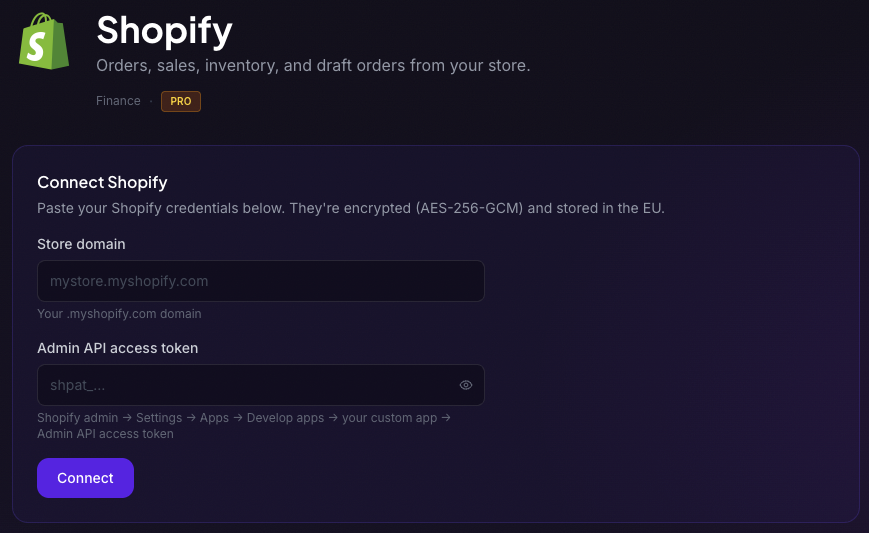
- API key connections: for tools like Supabase, Sentry, Stripe, Shopify, Trello, ClickUp, Toggl and Granola, you paste a key from that product's settings page. Apps differ, but the key usually lives in the app's own settings under a Developer, API or Integrations section: create or copy the key there, then paste it into Carae.
Either way, your credentials are encrypted at rest and you can disconnect any integration at any time from your dashboard. Disconnecting removes the connection and switches off the skills that depended on it.
The catalogue at a glance
There are 38 integrations today, grouped roughly like this:
- Email and calendar: Gmail, Google Calendar and Microsoft 365, on every plan; Calendly from Companion.
- Productivity: Notion, Slack, Todoist, Asana, Trello, ClickUp, Airtable, Toggl, Granola, Canva.
- Creative: Higgsfield, for images and video on your own Higgsfield account (see Creative Studios).
- Developer: GitHub, Linear, Jira, Vercel, Netlify, Supabase, Sentry, Cursor, Devin and more.
- Sales and CRM: HubSpot, Salesforce.
- Health: Oura, Withings and Strava.
- Home and entertainment: Sonos, Philips Hue, YouTube.
- Social: Bluesky, Threads, Facebook Pages and Instagram, to post to your own account or Page from chat, and on the last three to see how your posts did (Companion and up).
- Finance: Stripe, Ramp, Shopify and Link Wallet (off until you set it up; spending limits apply and Stripe asks you to approve every charge).
Email and calendar work on every plan, most apps from Companion, and the developer and store tools on Pro; Plans & Billing has the list. Web search, RSS feeds and code-repository answers need no connection at all.
What a connection unlocks
Each integration lights up its own skills. Connect your calendar and the morning brief, free-slot finder and event reminders come alive. Connect Gmail and Inbox Watch can keep an eye out for you: "tell me when the accountant replies" becomes a standing rule. Connect Slack and you get channel digests and can post without leaving chat. Connect Ramp and "what did we spend on travel this month?" becomes a one-line question. With Projects, a project can link one GitHub repository and one Supabase project.
Nothing happens behind your back
Reading is instant. Before Carae sends an email, posts to Slack, Bluesky, Threads, Facebook or Instagram, invites people to a meeting, deletes a calendar event, starts a paid job on your own account, launches a coding agent, flips a feature flag or asks your wallet to pay, it shows you exactly what will happen with a button to confirm. None of these happens until you tap. A calendar event with no guests, an email draft, or a note or task you ask for in an app like Notion or Asana is simply created.
A connection in action
Tuesday, 8:47am, on the bus: "any emails I actually need to read?" Carae scans your inbox and surfaces the two that matter out of thirty. Then: "when am I free for a call with Ana this week?" It checks your calendar and offers three slots. Two connections, and your morning admin just happened in a chat window.